Major Feature
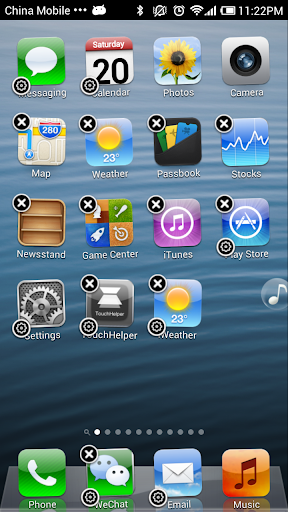
- Support iPhone iOS 6 UI Style
- Support all iPhone Launcher feature
- Support Same look and touch feeling with iPhone
- Support Search desktop: a convenient search applications, contacts, SMS, e-mail.
- Support for Themes to choose a different style desktop.
- Support iPhone Wallpaper Setting
- Support iPhone Icon Folder
- Support High Quality Icons
- Support restore default feature
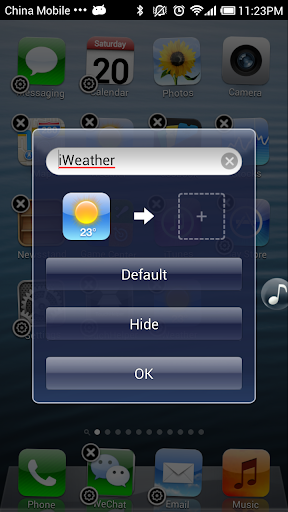
- Support customize application icon & name;
- Support hide application icon;
- No difference between the icon rendering and arrangement and iPhone
- No Ads
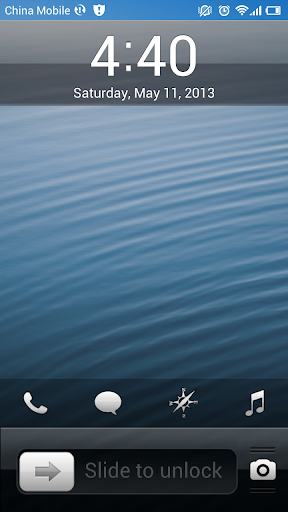
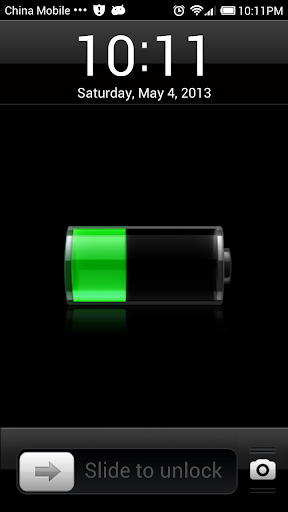
- Support iPhone Lock Screen with configuration funcation
Major Operation Mode
- Long press icon to enter into the icon editing mode
- Under Edit mode you can drag the icon position
- Under Edit mode you can click on the icon in the upper-left corner of the "X" icon to quickly delete the shortcut or uninstall applications
- Under Edit mode you can click on the icon in the upper-right corner icon to hide and rename applications.
- Under Edit mode you can drag and overlap icon to create a folder
- Under Lock screen Long press Camera button to popup Call, Music, Browser,Message button. Click Call button will switch the Camera and Call.
Requires Android: 2.3 and up